
The best way to play lofi on a Mac (hint: not a YouTube tab)
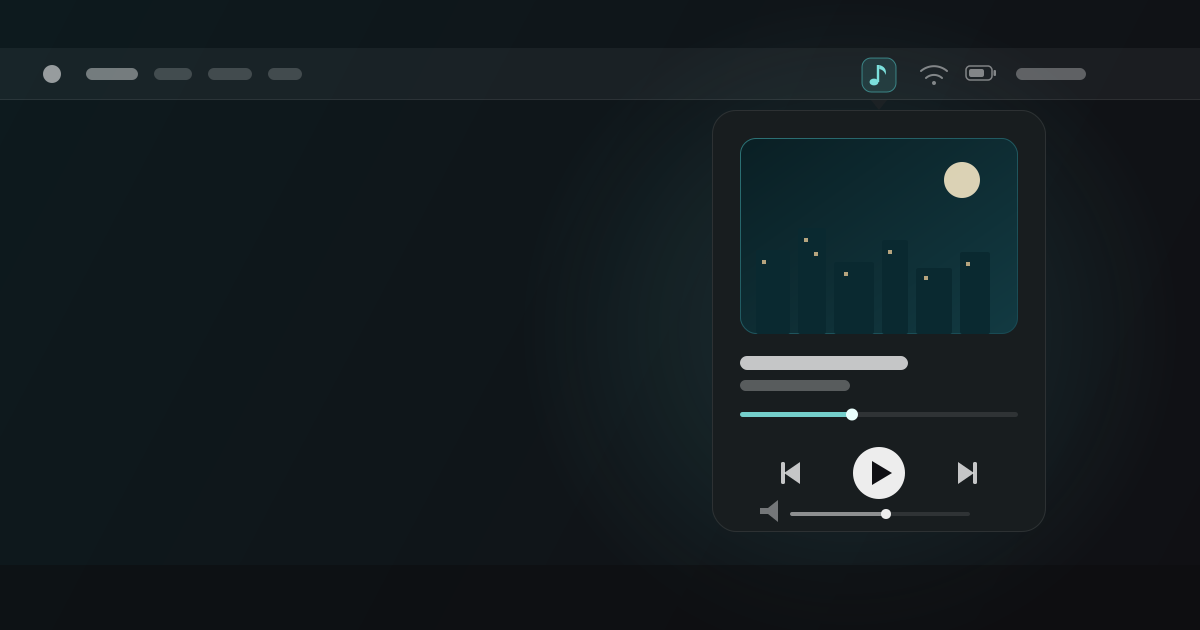
If you listen to lofi while you work on a Mac, you’ve probably settled into one of three setups: a YouTube live stream in a pinned tab, a Spotify playlist, or a dedicated app. They all play music. They are not remotely equal as focus tools. Here’s an honest comparison.
Option 1: the YouTube tab
The classic. Lofi Girl is playing, the tab is pinned, life is good — until it isn’t.
What’s good: it’s free, it’s instant, and the streams are genuinely well curated.
What’s not:
- It’s a browser tab. A 1080p video stream you never look at keeps decoding video, holding hundreds of megabytes of RAM and waking the GPU — a real battery cost on a laptop, all for pixels behind six other tabs.
- It’s inside your biggest distraction machine. Getting to your music means going through the browser — past the comment section, the sidebar, and whatever you left open. Every volume tweak is an invitation to browse.
- It stops when the internet hiccups. Live streams buffer, drop, and occasionally just end, replaced by a recommendation grid at full brightness.
- Ads, unless you pay for Premium.
Option 2: a Spotify playlist
What’s good: offline downloads, real playback controls, media-key support, and an enormous catalog.
What’s not:
- The algorithm has opinions. Autoplay, “enhanced” playlists, and recommendations will eventually steer your session somewhere you didn’t choose. Curation quality varies wildly — plenty of “lofi” playlists smuggle in vocal tracks, which are the worst offenders for focus.
- It’s a heavyweight app. The Spotify client is an Electron-scale citizen with a full store, social feed, podcast layer, and video — a lot of machinery to play a quiet beat.
- It’s a subscription. Fine if you already pay for it; a strange thing to start paying monthly for if lofi-while-working is your main use case.
Option 3: a native menu-bar app
This is the category Lofi Space lives in: a small, native macOS app that sits in the menu bar and does one thing.
Why it wins for focus specifically:
- Zero-friction control. Play, pause, skip, and volume live one click away in the menu bar — no app switch, no browser, no feed between you and the pause button. Global hotkeys mean you never even leave your editor.
- Native efficiency. A Swift app streaming audio (no video decode, no web runtime) barely registers in Activity Monitor. Your fans and battery will notice the difference from a video tab.
- Curation without an algorithm. Scenes like Zen Café, Night Tokyo, and Forest Dawn are fixed, instrumental, and surprise-free. Nothing autoplays you somewhere else.
- Offline by design. Tracks cache to disk as you listen (you set the budget, from 100 MB to 5 GB), so a flaky café connection doesn’t kill the session. Pin a scene and its whole track list stays available offline.
- It gets out of the way on calls. Lofi Space auto-pauses when a meeting app starts using audio and resumes when the call ends — using macOS’s metadata-only audio APIs, no microphone access required.
The honest bottom line
If you want infinite variety and already live in Spotify, keep Spotify. If you want the communal live-stream feeling, the YouTube tab has real charm. But if lofi is part of your work setup — something you start at 9 a.m. and think about as little as possible — a native menu-bar player is the right tool: lighter than a tab, calmer than an algorithm, and always one click away.
Lofi Space’s core app is free (macOS 14+, Apple Silicon and Intel), with a one-time $4.99 Pro upgrade for the ambient mixer, auto-pause, hotkeys, and pinned downloads. No subscription, no account. Download it here and see if your battery notices.